



Description

Features
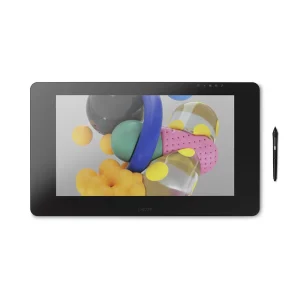
- Our best on-screen pen and multi-touch experience – the Wacom Cintiq Pro 16 (2021).
- Built-in ExpressKeys™ at the rear edge, On/Off-switch for multi-touch gestures for maximum control.
- Easy connectivity and VESA mount for maximum comfort.
- Optional Wacom Adjustable Stand* for your Cintiq Pro 16 to find the most natural position for you.
- Works with any other VESA compatible third party arm.
- Includes creative pen with tilt-recognition and 8,192 levels of pressure sensitivity.
- Virtually no jitter when using 4K screens with Adobe RGB 98% color performance.
- Etched glass screen reduces glare while providing a natural, pen on paper feel.
- Built-in legs raise your Wacom Cintiq Pro from 5° to 20°.
- Compatible with Mac and Windows.
* Sold separately

Improved ergonomics
New physical ExpressKeys™
Work efficiently and ergonomically
The new Wacom Cintiq Pro 16 offers 8 new ExpressKeys™ positioned at the rear edge of the graphic display. The easy access to the ExpressKeys™ makes the creative work even more efficient and there is no need to compromise between display size, modern look and ease of use. The display can be grasped directly, while the fingers can make quick settings unhindered. This speeds up the work and you can add that extra level of polish to every project.
Physical switch for multi-touch
Physical on/off switch for multi-touch
No more unintended touches
When working on details, there is hardly anything more annoying than accidentally touching the touch display. We took this feedback and added a physical switch to activate the multi-touch function on the top of the Wacom Cintiq Pro 16. So your workflow is no longer interrupted and due to the improved on-screen control you achieve maximum control over your work.


Connect and play
Simplified connection of your graphic display
Connecting your Wacom Cintiq Pro 16 to a PC or Mac is as easy as possible. All you have to do is connect the USB-C and HDMI cables to your desired computer and you’re ready to go. All cables are connected to the top of the device and therefore do not interfere with daily work.
Convince yourself
The Wacom Cintiq Pro 16 is a high-performance pen display for professional creatives. It is small enough to be easily taken from computer to computer and from place to place, but still offers enough space for you to create.
No matter whether you draw, paint or illustrate professionally, edit photos or videos, develop games, design graphics or even draw comics and manga – this graphic display makes your work more efficient, comfortable and precise.


The graphics display for your art
The Wacom Cintiq Pro 16 is based on your customer feedback. Thanks to our constant and close exchange with the creative community, we have developed our best ever on-screen pen and multi-touch experience with this graphic display. The anti-glare 4K display harmonises perfectly with the Pro Pen 2 and ensures maximum precision for every single pixel. Thanks to the screen’s etched glass surface, every line on the display feels as natural as it does with pen and paper. In addition, the Wacom Cintiq Pro 16 covers 98% of the Adobe RGB color space and enables professional color management (with the optionally available Wacom Color Manager), whereby the colors of your artwork are displayed in perfection.

Wacom Pro Pen 2 - Natural and precise
Our state-of-the-art creative pen, Wacom Pro Pen 2 is included with Wacom Cintiq. Featuring 8,192 levels of pressure sensitivity and unparalleled tilt recognition every stroke and move of your hand is followed with unerring accuracy.

Virtually no lag

Natural tilt recognition

No parallax

No batteries or recharging

What's Included
- Wacom Cintiq Pro 16
- USB-C to USB-C cable (1.0m)*
- USB-C to USB Standard A cable (1.8m)*
- HDMI 2.0 cable (1.8m)*
- AC adapter*
- Power cord (1.0m)*
- Wacom Pro Pen 2
- Pen stand with 10 replacement nibs (6 standard, 4 felt) and nib removal tool
- Pen holder with 3 replacement nibs (3 s tandard)
- Quick Start Guide
- Regulation sheet
- Cleaning cloth
*PVC-free
Specifications
Display Size/Resolution
15.6 in (39.6 cm) / Ultra HD (3840 x 2160)
Active Area / Size
13.6 x 7.6 in (344 x 194 mm) /
16.1 x 10.5 x 0.9 in (410 x 266 x 22 mm)
Color Performance
16.7 million colors (8 bit), 98 % Adobe® RGB coverage (CIE1931) (typ)
Weight / Aspect Ratio/Brightness
4.2 lbs (1.9 kg) without optional stand /
16:9 / 300 cd/m2 (typ)
Multi-Touch
Physical switch to turn multi-touch on and off; pan, zoom and rotate gestures available in most applications including Adobe® Photoshop® and Illustrator®
OS Requirements
Windows 7, 8.1, or 10; macOS 10.14 or later; USB-C port with DisplayPort Alternate Mode (UHD), or HDMI 2.0 or later (UHD) port and USB-A port; internet access to download driver



You must be logged in to post a review.